Clone Stamp Tool 
L
This tool is used to copy regions of pixels from one location to another. The source and destination can be on the same layer or different layers within the same image.
To use the
Note
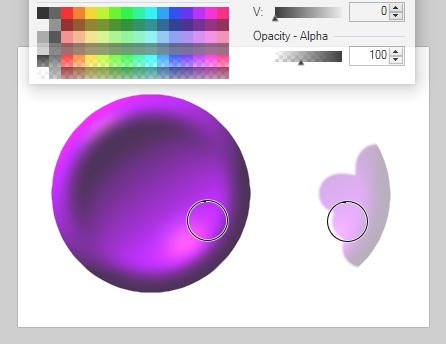
Set the source point by holding down the
Navigate to the destination location (where you want the pixels to be copied to). The source location will remain where it was set. Click and drag to copy from the source to the destination. Note that the source point moves in the same path as the tool when cloning starts. This results in the tool path being copied as a stripe rather than just the source point.
The relationship between the source and destination is fixed once the actual cloning is started. Once the relationship is set, the points remain locked together.
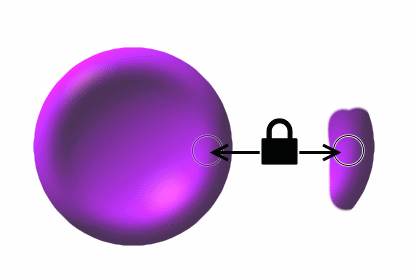
This relationship will persist through tool changes and other editing operations.
To break the link, set a new source point by holding down the
Note
While cloning, circles are drawn to indicate the location of the source and destination.
Tool Bar Options

Brush size
The size of the area to be copied is set by the
Pressure Sensitivity
The button appears between 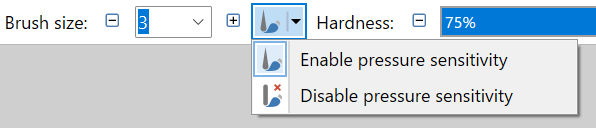
Hardness
The
Example - Clone Stamp & Hardness
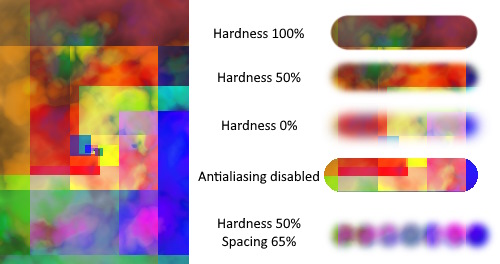
Note
Spacing
The
Path Smoothing
The path of the
Antialiasing
Cloned regions can be rendered with an aliased (jagged) or antialiased (smoothed) edge. This toggle selects which mode will be used.
If aliasing is selected, the Hardness setting will be ignored.
Blending mode
A
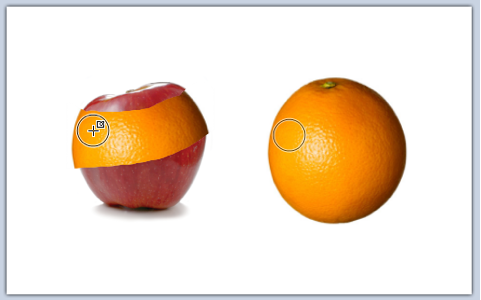
In the picture below, the orange has been cloned to appear as part of the apple.
Example - Clone Stamp Tool
Selection Quality
This setting determines if the selection boundary should be aliased (pixelated) or antialiased (smoothed). If aliased/pixelated is used, selection boundaries will be snapped to the nearest pixel, resulting in a jagged or stepped appearance when the tool meets these edges. If antialiased/smoothed is used, the selection boundaries will be antialiased so a meeting between the tool and the boundary will be smoother.
Adjusting the Opacity of the Stamp
If the opacity is lowered the stamp will copy a partially transparent copy of the source.
In the following image the opacity of the