Photo Effects
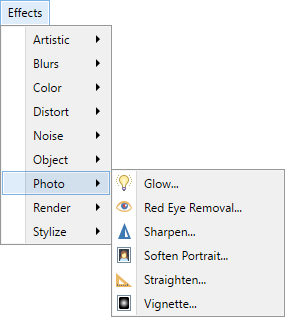
This sub-menu contains five effects which enhance or modify photographs.
Note
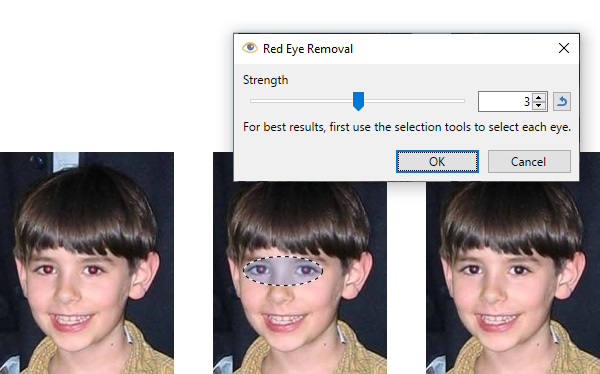
The examples on this page show the effects being applied to an entire image - with the exception of Red Eye Removal. It is easy to restrict the adjustment to a sub-section of the image simply by making a selection. If a selection is active when the effect is run, it will only be applied to the selected region. Areas outside of the active selection will remain unchanged. See the Red Eye Removal effect for an example.
Tip
The controls shown in the effect dialogs operate in much the same way; drag the indicator left, right or in a circular motion (for an angle control).
Typing in a numeric value in the text box or using the up/down arrows beside the text box also changes the current value.
The keyboard arrow keys can be used to alter the value of a control once it has the focus.
Multiple controls can be used in isolation or combination. If more than one is altered, the cumulative effect will be shown.
 Glow
Glow
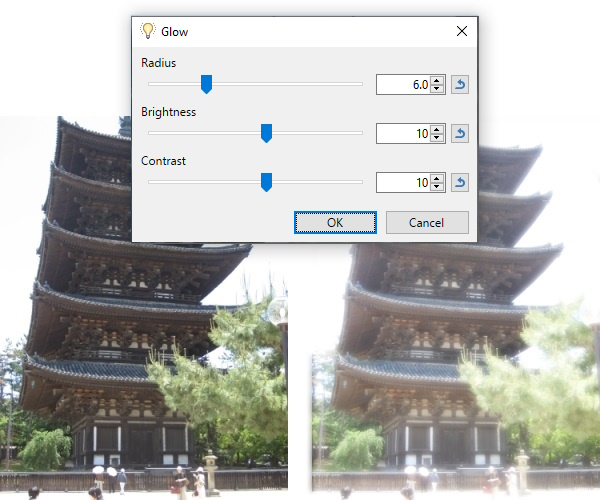
This effect gives an image an inner "glow" by brightening the lighter tones and allowing these to encroach the darker tones. Color saturation is considerably muted by the effect. The overall result is similar to the photo being subjected to strong back-lighting.
Tip
When Glow is used on an object surrounded by transparent pixels,
Example - Effects > Photo > Glow
 Red Eye Removal
This effect recolors the "red eyes" caused by flash photography.
Tip
Use a
Example - Effects > Photo > Red Eye Removal
 Sharpen
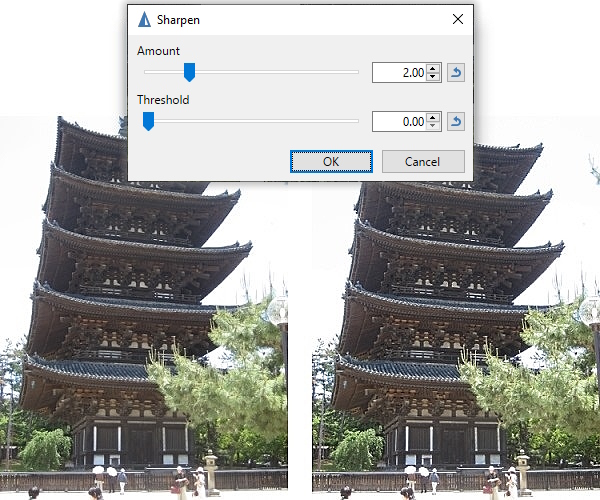
Example - Effects > Photo > Sharpen
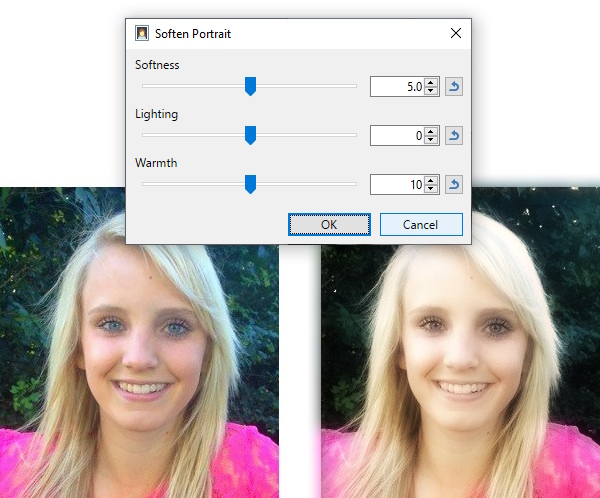
 Soften Portrait
This is used to soften images by adding a subtle glow type filter. The result can be likened to the diffusing filters used on leading actresses in early black and white films.
Example - Effects > Photo > Soften Portrait
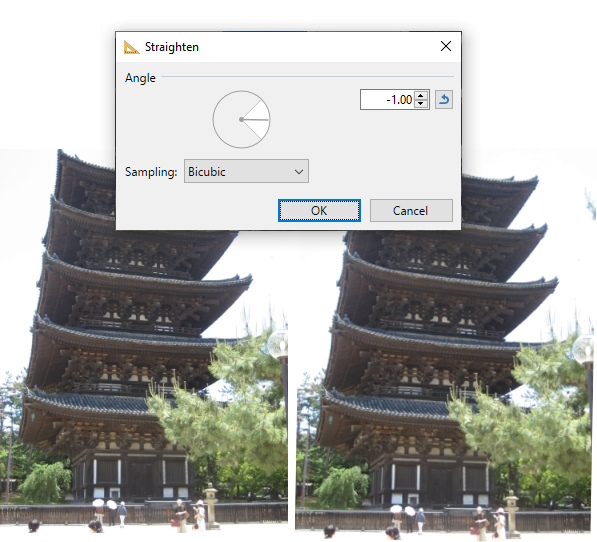
 Straighten
Straighten is used to rotate an image, especially to straighten a horizon in a photo. The image is automatically scaled so it continues to fill the canvas.
Example - Effects > Photo > Straighten
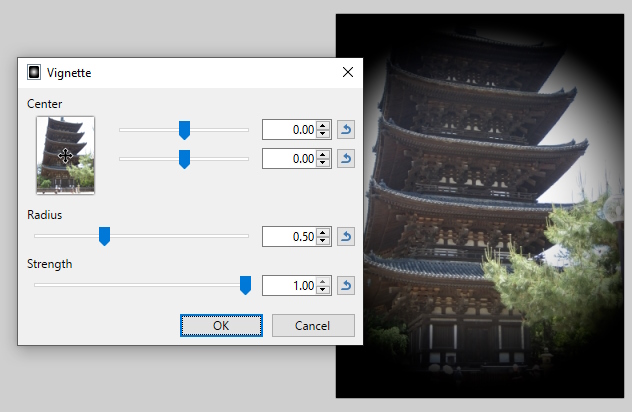
 Vignette
This effect is used to create a darkened elliptical halo around the edges of an image. This effect is commonly seen in aged portrait photography.
The
Note
The color of the vignette created by this effect is not configurable from within the effect dialog.
It will always be black (or a subtle grayscale if the
Example - Effects > Photo > Vignette
Tip
To create a colored vignette, use the