Eraser Tool 
E
This tool is used to remove parts of the active layer or selection. It can be useful when working with multi-layered images as portions of an upper layer erased will allow lower layers to show through.
Example - Eraser Tool
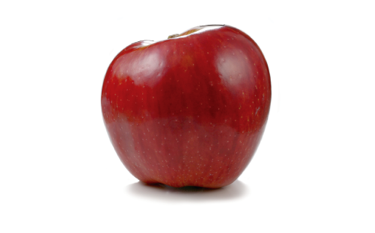
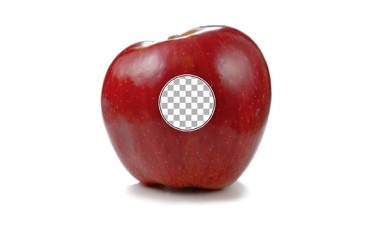
The
The eraser tip is circular in shape. This is not able to be altered.
Note
Erasing may result in a checkerboard pattern being shown. This pattern is used to denote areas of the image that are transparent. The pattern is not actually part of the image and will not be seen outside of paint.net's editing environment.

To change the brightness of the checkerboard pattern, open the Settings Dialog and adjust the slider in the User Interface tab.
Eraser Tool options

Brush size
The size of the eraser tip is set by the
Example - Brush size
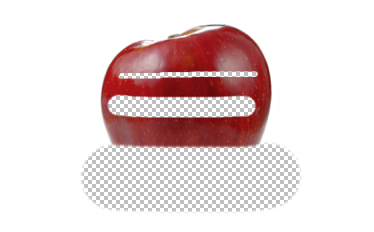
At the top the
Pressure Sensitivity
The button appears between 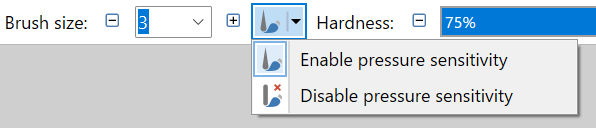
Hardness
The
Example - Hardness
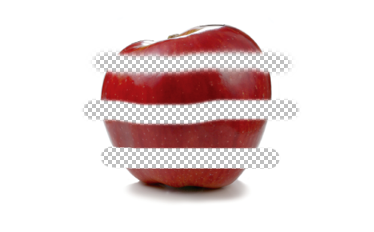
At the top the
In the middle the
At the bottom the
Note
Spacing
The
Path Smoothing
The path of the
Antialiasing
The
If aliasing is selected, the Hardness setting will be ignored.
Selection Quality
This setting determines if the selection boundary should be aliased (pixelated) or antialiased (smoothed). If aliased/pixelated is used, selection boundaries will be snapped to the nearest pixel, resulting in a jagged or stepped appearance when the tool meets these edges. If antialiased/smoothed is used, the selection boundaries will be antialiased so a meeting between the tool and the boundary will be smoother.
Softening the Eraser
The
Example - Alpha Setting
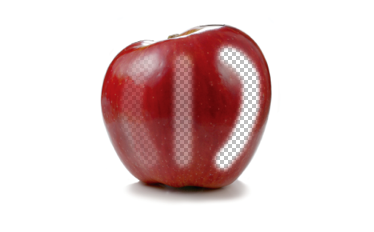
On the left, the Alpha Setting is set to 60. The opacity of the erased area will be 255-60=195 and the original color information will be retained.
In the middle the Alpha Setting is set to 120. The opacity of the erased area will be 255-120=135. Again, the original color information will be retained.
On the right, the Alpha Setting is set to 255 (maximum). The opacity of the erased area will be 255-255=0. The original color information will be replaced with black (#000000)
Tip
The Eraser tool in Microsoft Paint works by painting with white. If this behavior is desired, use the